Scenario-based questions (FBISE)
Add a part of scenario sets to an exam: a short real-life scenario with 4 questions about it, written by AI for FBISE's new papers.
The exam builder has two layouts. Simple starts with "What to make"; Classic with the exam's name, then Structure. Steps marked Simple or Classic are for that layout; the rest are the same in both.
1. What a scenario set is
FBISE's papers from 2027 have scenario-based questions: a short real-life situation, and 4 questions that need it to be answered. Brayntest's AI writes them for you, from easy to hard, and checks them like every other question.
2. Ask us to turn them on
Scenario sets are off until we turn them on for your academy. Message us on WhatsApp at 0332 7884746 and tell us your subjects and classes.
3. Add a Scenario sets part
SimpleMake a new exam as usual. Open More options and tap "+ Add a part". Choose its subject and, under "What this part has", "Scenario sets"; type the topic and choose how many sets (1 to 10), then tap Done. Your usual MCQs stay in the first part: a paper can have both. For a paper of sets only, choose "Scenario sets" for the first part instead, under More options. Then tap Generate: the AI writes them in a few minutes.
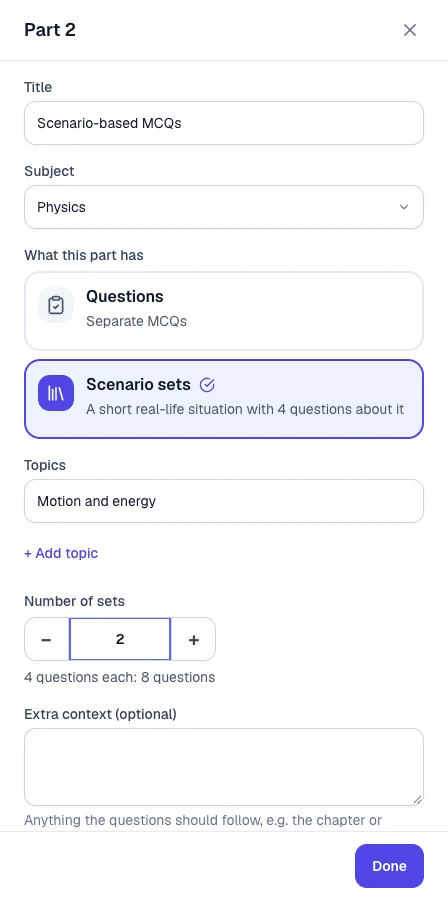
4. Add a Scenario sets part
ClassicMake a new exam as usual. On Structure, add a part and choose "Scenario sets" for it. Keep your usual MCQs in the first part if you like: a paper can have both.
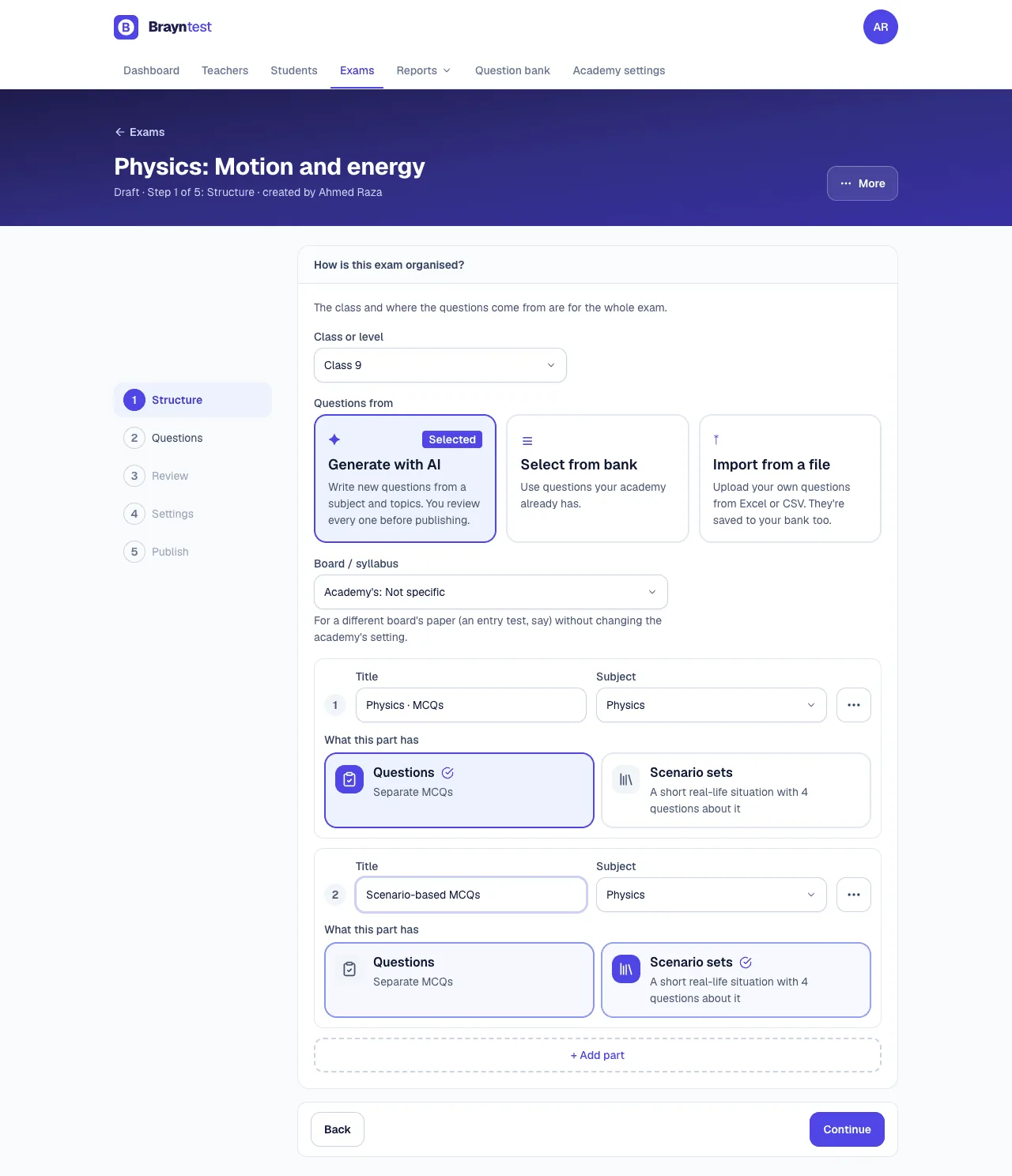
5. Choose the topic and how many sets
ClassicOn Questions, type the topic for the sets and choose how many (1 to 10). Each set is one scenario with 4 questions. Then tap Continue: the AI writes them in a few minutes, and the page shows how far it has got.
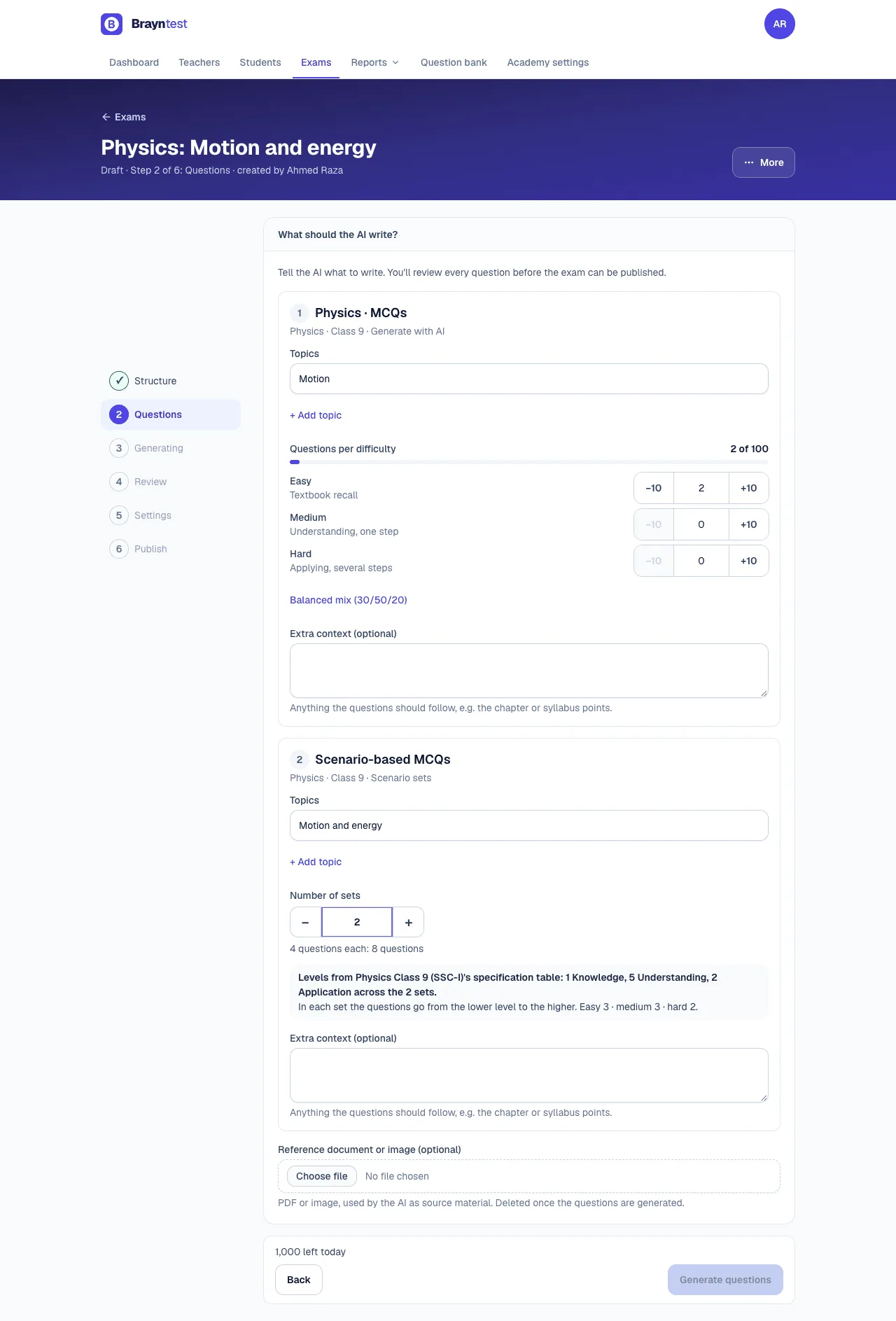
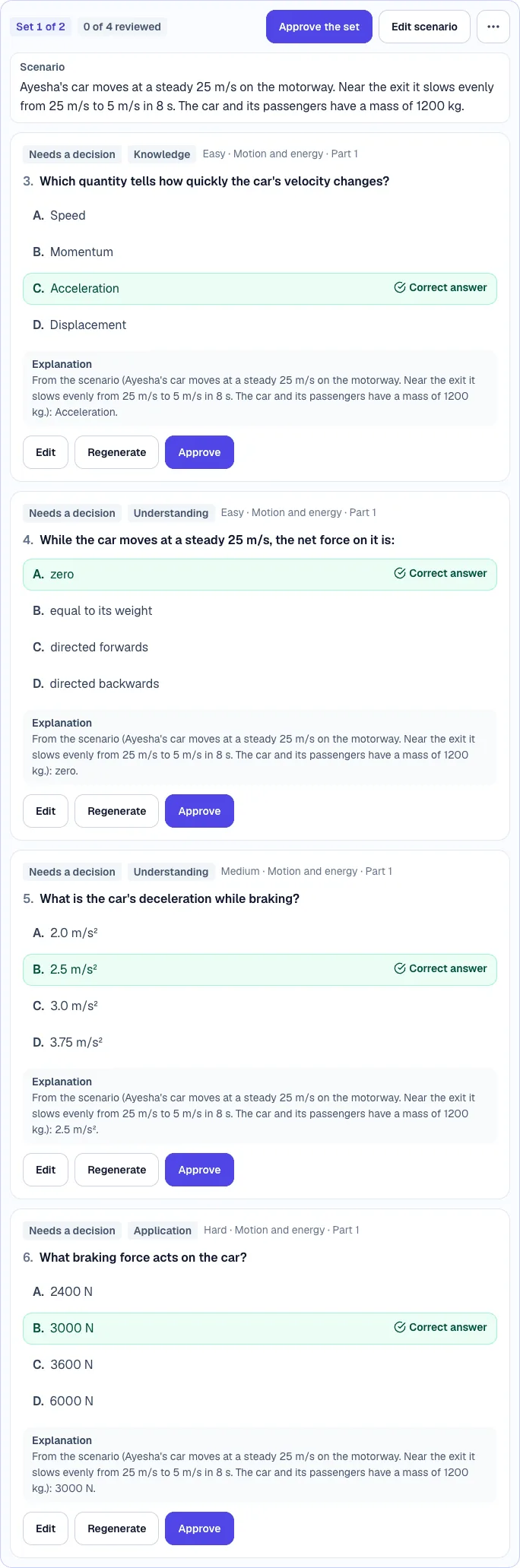
6. Check the sets in Review
Each set shows its scenario above its 4 questions. Read them, edit the scenario or a question if you need to, or ask for a new set. A set's questions always stay together. Then publish the exam as usual.
7. What students see
Students see each scenario with its questions, marked "Scenario 1 of 2 · question 1 of 4", in its own soft colour, and the timer as usual.